Templates
PodNotes expands {{tag}} placeholders into episode or feed metadata.
Note creation file path and Note creation template control episode notes.
Feed note file path and Feed note template control feed notes.
These settings are under Episode notes and Feed notes in PodNotes settings.
Tag names are case-insensitive. {{currentDate}} and {{currentdate}} are equivalent.
An unknown tag remains unchanged and produces a notice, with a suggested tag when one is found.
An empty argument, such as {{date:}}, uses the tag’s default.
Everything after the first colon is one argument, including commas.
File path
Section titled “File path”Episode note paths, Transcript file path, and Episode download path support the following tags:
| Tag | Value | Optional argument |
|---|---|---|
{{title}} |
Episode title, sanitized for a file name. | Replaces whitespace, as in {{title:_}}. |
{{podcast}} |
Podcast name, sanitized for a file name. | Replaces whitespace, as in {{podcast:_}}. |
{{date}} |
Episode publication date, or empty when unavailable. | Date format, default YYYY-MM-DD. |
{{currentDate}} |
Date when the template is expanded. | Date format, default YYYY-MM-DD. |
{{episodeNumber}} |
Feed episode number, or a number inferred from the title. | All-zero width, as in {{episodeNumber:000}} for 042. |
The default episode note path is PodNotes/{{podcast}}/{{title}}.md.
PodNotes adds .md if needed. Each folder and file name is capped at 255 units.
The limit uses UTF-16 code units on Windows, macOS, and iOS, and UTF-8 bytes on Linux and Android.
Long names are truncated, preserving the file extension. The complete path has no separate length cap.
The default download path is PodNotes/{{podcast}}/{{title}}.
Downloads add the detected media extension automatically and remove a trailing extension from the template.
A download path needs to distinguish episodes. {{title}} supplies that distinction in the default.
An existing file belonging to another episode causes a download error rather than an overwrite.
The title and podcast path tags remove these characters:
\ , # % & / { } * < > $ ' " : @ ‣ | ? [ ]They replace control characters with spaces, collapse whitespace, trim surrounding whitespace, and remove leading and trailing dots.
Dots inside a name remain. Date values are not sanitized for paths, so a format containing : can produce an invalid file name.
{{duration}} is not registered in path templates, including download paths.
Existing episode note lookup checks the current path, the older sanitizer that removed dots, and a unique title match in the expected folder. That fallback does not guarantee a match after a title change, a note move, or a path-template change.
Note template
Section titled “Note template”Episode note templates support the following tags:
| Tag | Value |
|---|---|
{{title}} |
Episode title as escaped Markdown text on one line. |
{{safeTitle}} |
Episode title sanitized as a file name. |
{{podcast}} |
Podcast name sanitized as a file name. |
{{description}} |
Episode description converted from HTML to Markdown. |
{{content}} |
Episode content from <content:encoded>, converted to Markdown. |
{{url}} |
Episode URL, or the vault link for a local file. |
{{stream}} |
Public HTTP or HTTPS media URL without embedded credentials. Empty for a local resource URL or a refused target. |
{{date}} |
Episode publication date, or empty when unavailable. |
{{currentDate}} |
Date when the note template is expanded. |
{{episodeNumber}} |
Episode number, or empty when unknown. |
{{duration}} |
Episode duration from <itunes:duration>, or empty when unavailable. |
{{chapters}} |
Markdown chapter list, or empty when no visible chapters are available. |
{{artwork}} |
Episode artwork URL, or empty when unavailable or refused. |
{{episodelink}} |
Bare obsidian://podnotes URL that resumes this episode. Empty without a feed URL or local file path. |
{{date}} and {{currentDate}} accept date formats.
{{episodeNumber:000}} pads to three digits. Any argument other than an all-zero width returns the unpadded number.
Episode numbers come from <itunes:episode> when valid. Otherwise PodNotes tries a leading title marker such as #12, Ep. 12, or Episode 12.
A leading number followed by a separator, such as 12: Interview, can also match.
This inference can mistake a year such as 2024: A year in review for an episode number.
Description, content, and chapter tags accept a line prefix, as in {{description:> }}.
Descriptions and content keep ordinary Markdown formatting and links.
Media elements are removed, Markdown embeds are escaped, and executable Dataview fences become plain text fences.
Image alt text remains.
Feed-controlled URLs percent-encode whitespace, control characters, quotes, backticks, brackets, parentheses, angle brackets, and backslashes.
A genuine local-file {{url}} remains a vault link without that encoding.
Artwork and stream tags accept public HTTP or HTTPS targets without embedded credentials.
Device-local resource URLs and literal private-network targets produce an empty value.
Duration and chapters
Section titled “Duration and chapters”With no argument, {{duration}} renders 4:05 below an hour or 1:02:03 at or above an hour.
{{duration:minutes}} returns total whole minutes. {{duration:seconds}} returns total seconds.
Other arguments use the time tokens, such as {{duration:HH:mm:ss}}.
A restored episode from an older version can lack duration until it is opened from its feed again.
{{chapters}} uses the feed’s Podcasting 2.0 <podcast:chapters> URL.
Each visible chapter renders as - 0:00 Chapter title, sorted by start time, with the title escaped as plain text.
Hidden chapters with toc: false are omitted. A failed request or empty chapter file produces an empty value.
Linking an episode to its podcast (feed) note
Section titled “Linking an episode to its podcast (feed) note”The following episode note tags refer to the episode or its parent feed explicitly:
| Tag | Value |
|---|---|
{{episodeurl}} |
Alias of {{url}}. |
{{episodeartwork}} |
Alias of {{artwork}}. |
{{feedurl}} |
Feed URL, or a placeholder for a protected private feed. Empty when no feed URL is stored. |
{{feedartwork}} |
Saved feed artwork, with episode artwork as the fallback when absent. |
{{podcastlink}} |
Wikilink derived from Feed note file path. |
With the default feed path, {{podcastlink}} produces [[PodNotes/Podcasts/My Show|My Show]].
A path without a folder produces [[My Show]]. The link uses the same name-length limits as the feed note.
A date in the feed path can make this link depend on the expansion date rather than the date the feed note was created.
Using the default template with Bases
Section titled “Using the default template with Bases”The default episode note has properties that Obsidian Bases can filter, sort, and group:
---type: podcastEpisodepodcast: "{{podcastlink}}"date: {{date:YYYY-MM-DD}}tags: - podcastEpisodestatus:rating:favorite: false---# {{title}}

[Resume in PodNotes]({{episodelink}})
{{url}}
{{description}}The title and URLs remain in the body. An escaped title can contain backslashes, and a vault link can contain quotes.
Either can break a quoted YAML value.
The quoted podcast link assumes an ordinary feed-note path without literal quotes or backslashes.
status, rating, and favorite are user-editable properties.
A .base file with this configuration lists episode notes by listening status:
filters: and: - 'type == "podcastEpisode"'views: - type: table name: Episodes order: - file.name - note.podcast - note.date - note.status - note.rating - note.favorite groupBy: property: note.status direction: ASC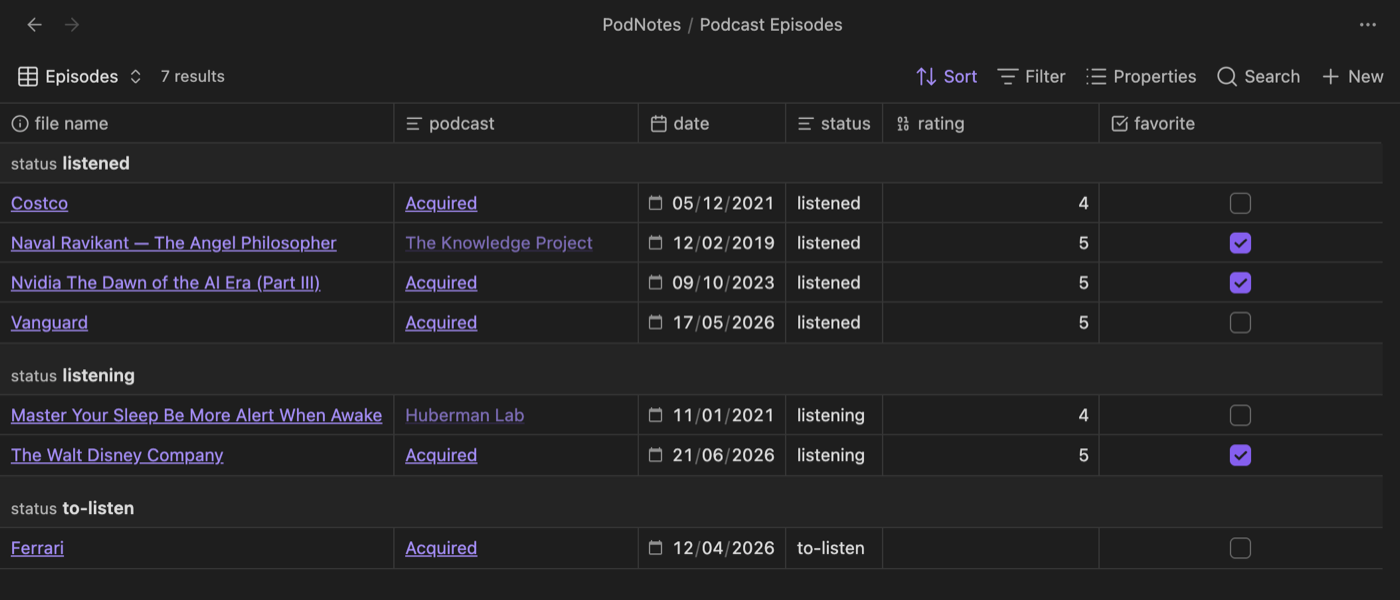
Podcast feed notes
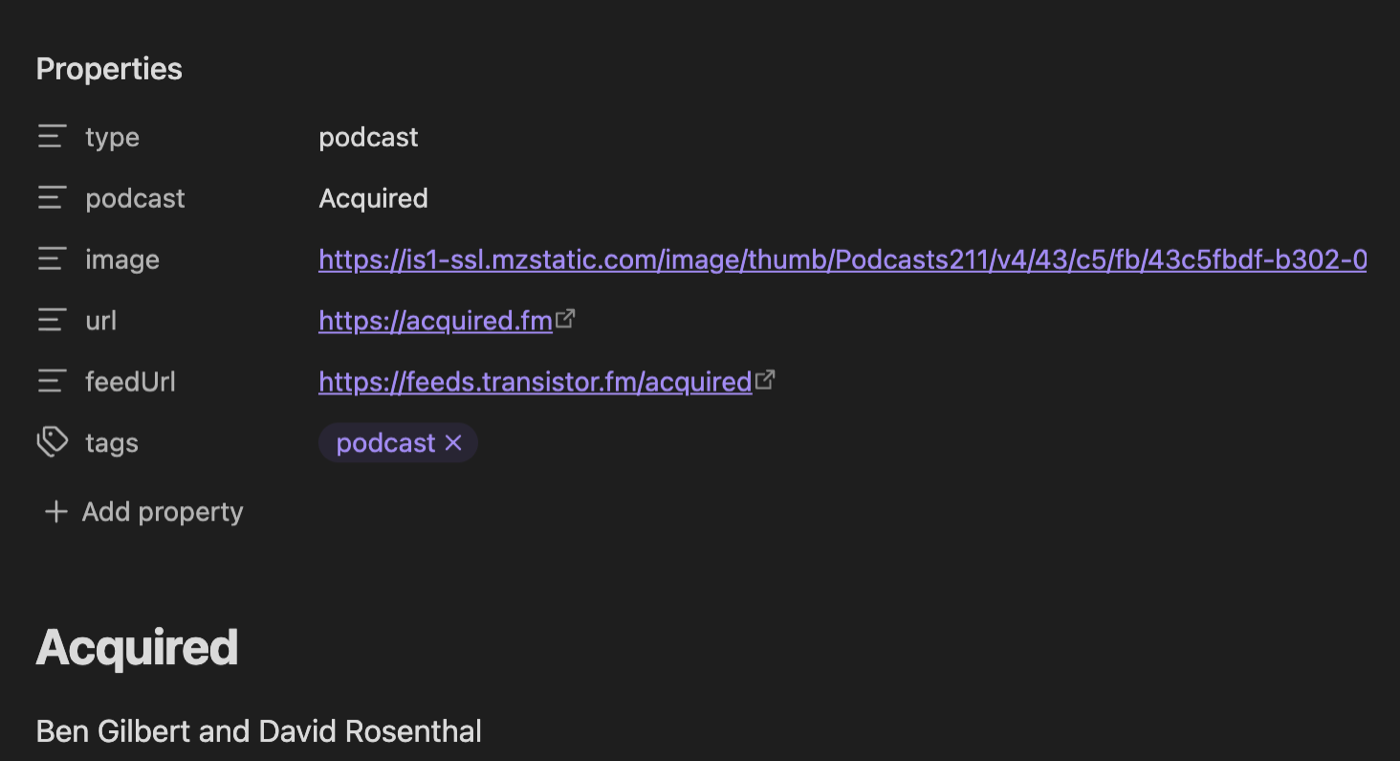
Section titled “Podcast feed notes”A feed note represents a whole podcast. PodNotes: Create podcast feed note opens a picker of saved podcasts without requiring playback. The episode context menu also has Create feed note or Open feed note.
The default path is PodNotes/Podcasts/{{podcast}}.md.
Feed paths support {{title}}, {{podcast}}, and {{date}}.
Both name tags are sanitized and accept a whitespace replacement argument.
Here, {{date}} is the current date, with a default format of YYYY-MM-DD.
Feed note content supports these tags:
| Tag | Value |
|---|---|
{{title}} |
Feed title as escaped Markdown text on one line. |
{{safeTitle}} |
Feed title sanitized as a file name. |
{{podcast}} |
Feed title sanitized as a file name. |
{{url}} |
Feed website from <link>, or empty when absent. |
{{feedurl}} |
Feed RSS URL, or a protected private-feed placeholder. |
{{artwork}} |
Feed artwork URL. Empty when absent or refused. |
{{feedartwork}} |
Alias of {{artwork}}. |
{{author}} |
Feed author from <itunes:author> as escaped Markdown text. |
{{description}} |
Feed description converted to Markdown. Accepts a line prefix. |
{{date}} |
Current date. Accepts a date format. |
{{currentDate}} is not registered for feed notes or feed paths.
The title, author, description, URL, and artwork rules match their episode-note counterparts.
Transcript and timestamp templates
Section titled “Transcript and timestamp templates”Transcript note content supports {{title}}, {{podcast}}, {{date}}, {{currentDate}}, {{episodeNumber}}, {{duration}}, {{transcript}}, {{description}}, {{url}}, and {{artwork}}.
Its title and podcast tags use the file-name sanitizer and accept a whitespace replacement argument.
The other shared tags use the formats and URL rules described above. {{transcript}} contains the generated transcript text.
Episode-only tags such as {{stream}}, {{chapters}}, and {{episodelink}} are not registered in transcript content.
Speaker label format supports {{speaker}} for each diarized turn.
The transcript guide covers provider setup.
The timestamp reference lists the four timestamp tags.
Date formats
Section titled “Date formats”Date tags use this subset of Moment-style tokens:
| Part | Tokens |
|---|---|
| Year | YYYY, YY |
| Month | MMMM, MMM, MM, Mo, M |
| Day of month | Do, DD, D |
| Weekday | dddd, ddd |
| Hour | HH, H, hh, h |
| Minute | mm, m |
| Second | ss, s |
| AM or PM | A, a |
Names and ordinals use English. Dates use the device’s local time zone.
Square brackets preserve literal text, as in {{currentDate:[Captured] YYYY-MM-DD}}.
Other Moment tokens are not supported.